The digital age demands speed, agility, and the ability to adapt instantly to market changes. Traditional software development, often characterized by lengthy coding cycles and technical bottlenecks, frequently falls short of these enterprise requirements. This has spurred a revolution in the way businesses approach digital transformation, focusing on platforms that empower process owners, not just developers. The key phrase at the forefront of this shift is Codeless workflow design | Xpoda.
Codeless Workflow Design About the Concept
Codeless workflow design | Xpoda represents the pinnacle of No-Code development specifically applied to business process automation and management. At its heart, it is a development philosophy and a technological infrastructure that allows business users, analysts, and process owners—individuals with deep domain knowledge but potentially no coding expertise—to design, implement, and manage complex operational workflows using a visual, drag-and-drop interface. This completely bypasses the need for traditional, text-based programming languages, fundamentally democratizing technology within the enterprise.
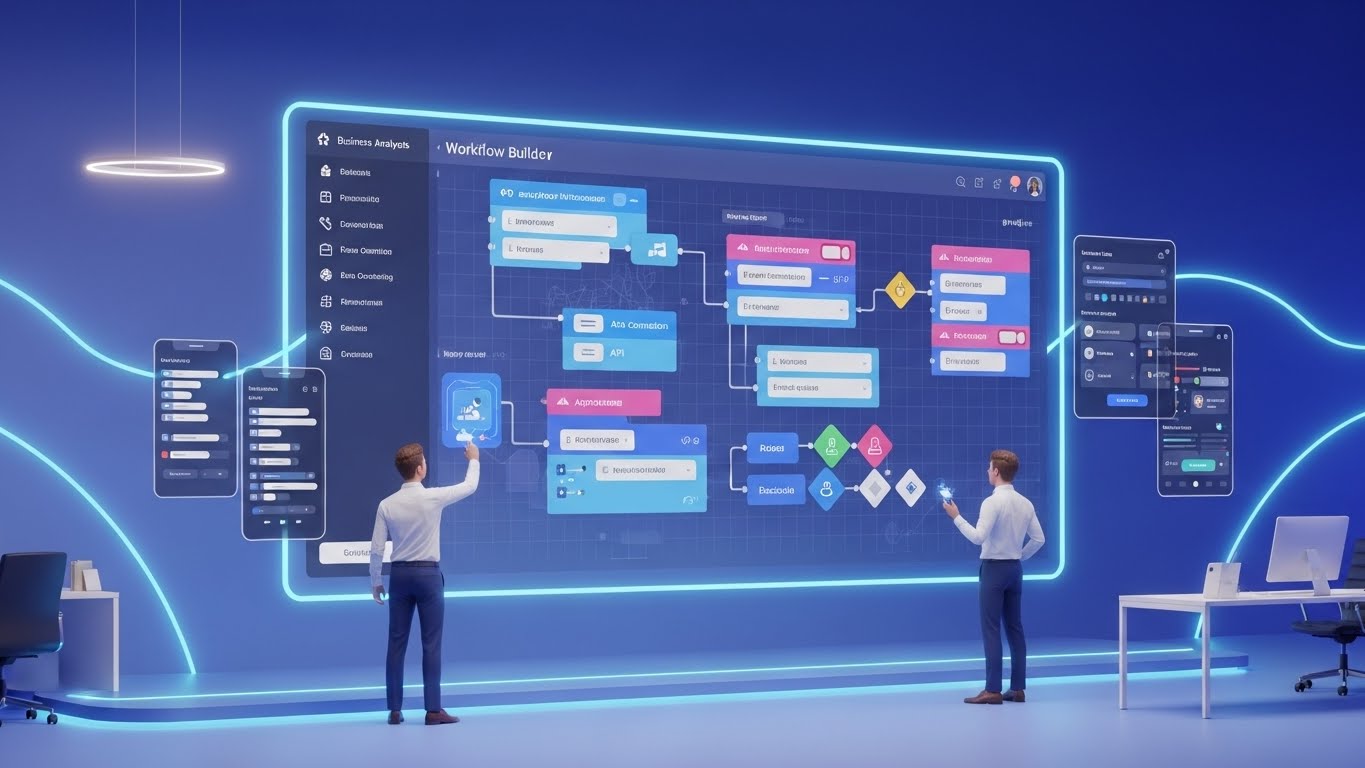
For too long, the bottleneck in digital transformation has been the reliance on a limited pool of highly skilled software developers. Every minor change, update, or new process automation had to queue up behind other IT projects, resulting in slow turnaround times and a chasm between the business requirement and the deployed solution. Codeless workflow design | Xpoda bridges this gap by providing an intuitive, graphical environment where workflows are modeled using pre-built components, decision points, and visual connectors.
This approach significantly accelerates the time-to-market for new business applications and automations. Instead of weeks or months, a sophisticated workflow—such as a multi-stage approval process or an integrated data synchronization task—can be conceptualized, built, tested, and deployed in a matter of hours or days. The platform's powerful engine then executes these visually designed flows, handling everything from data operations and system integrations to sending notifications and managing user tasks. This empowers businesses to achieve an unprecedented level of organizational agility and responsiveness.
The platform is designed for enterprise-grade solutions, meaning it does not sacrifice power or scalability for simplicity. It handles complex conditional logic, parallel paths, third-party system integrations (REST, SOAP, enterprise systems like SAP, Salesforce), and centralized user management, all through a visual configuration layer. This dual focus on ease of use and enterprise capability is what makes the model of Codeless workflow design | Xpoda a genuine game-changer in the world of corporate digital enablement.
The Core Philosophy of No-Code Automation
The fundamental idea behind codeless automation is to shift the focus from how to code a process to what the process should achieve. By abstracting the technical complexities, Xpoda allows subject matter experts to concentrate on process optimization, ensuring that the deployed workflow perfectly aligns with business needs. This leads to higher user adoption rates and more accurate process execution, directly contributing to the enterprise’s bottom line.
Codeless workflow design | Xpoda platforms deliver a seamless, multi-experience design, where a single visual model automatically generates applications that function responsively across web, iOS, and Android devices. This eliminates the massive effort typically involved in developing and maintaining separate mobile and web interfaces, further accelerating digital initiatives. This is a critical component of the platform’s value proposition: one design, all platforms.
Codeless Workflow Design
Codeless workflow design | Xpoda is built upon a robust, enterprise-grade architecture that ensures high performance, security, and scalability while maintaining the simplicity of the No-Code interface. Understanding these underlying details reveals why Xpoda is a powerful solution for complex organizational needs.
The platform functions as an Application Development Platform (ADP) that specializes in process and workflow automation. It is not merely a task recorder but a comprehensive tool that handles the entire lifecycle of an application, from design and development to deployment and maintenance.
The Visual Workflow Engine
The heart of the system is the visual workflow engine, which utilizes a flowchart-style diagramming interface. Users drag and drop pre-defined action blocks onto a canvas to construct their process logic. These action blocks represent core business and technical operations:
-
Task/Approval Components: Blocks for assigning tasks to specific users or roles, managing multi-level approval hierarchies, and handling rejections or escalations.
-
Data Operations: Components to read, write, update, and delete data from both the platform's internal database and external systems. This includes advanced features for data mapping and transformation, all configured visually.
-
System Integration Blocks: Specialized components for connecting to external APIs (REST, SOAP) and ready-made connectors for common enterprise systems (e.g., SAP, Salesforce). Crucially, the configuration of these integrations—including parameter passing and data consumption—is done entirely through the visual interface, eliminating the need for integration code.
-
Notification and Communication: Blocks for automatically sending emails, SMS, or mobile notifications based on workflow events, ensuring timely communication to stakeholders.
-
Conditional and Control Logic: Elements like Decision boxes, Parallel Gates, and Loops allow for the construction of highly complex, branching workflows that adapt dynamically to input data and business rules.
Integrated Data and Form Management
A workflow is only as effective as the data it processes. Codeless workflow design | Xpoda includes an integrated layer for form and data management.
-
Drag-and-Drop Form Designer: Users create sophisticated data capture forms using a visual designer. These forms are automatically responsive and are the primary interface through which users interact with the running workflow.
-
Built-in Data Layer: The platform provides its own managed database layer, meaning applications are not dependent on external databases from the start. Data models (tables and relationships) can be defined and managed visually, simplifying the overall development environment.
-
Visual Data Mapping: When integrating with external systems, Xpoda's interface allows for a visual "mapping" of data fields between the Xpoda application, the internal workflow, and the target external system. This eliminates the tedious and error-prone process of writing code for data synchronization.
Hybrid Low-Code Capability (Escape Hatch)
While the platform champions a "No-Code" approach, it acknowledges the reality of highly specific, edge-case business requirements. Codeless workflow design | Xpoda offers a Low-Code Flexibility or a Hybrid Development model. This means that for highly complex integrations or unique business rules that cannot be handled by the visual components, developers can insert small, controlled blocks of custom code. This “escape hatch” ensures that the platform is not a limiting factor for complex enterprise projects, providing the agility of no-code with the power of traditional development when absolutely necessary.
Version Control and Instant Deployment
One of the most significant advantages is the speed of iteration. In traditional development, deploying a small change can involve compilation, testing environments, and lengthy rollout procedures. Codeless workflow design | Xpoda offers:
-
Instant Deployment: Changes, whether to the form or the workflow logic, can be deployed to production in seconds or minutes without a formal compilation process. This drastically reduces the cycle time for feedback and improvement.
-
Automatic Version Control: The platform automatically stores and tracks all previous versions of the application and its workflows. This capability allows for an immediate rollback to a prior, stable version if a new deployment encounters unexpected issues, minimizing operational risk and downtime.
This detailed, enterprise-focused architecture is what makes Codeless workflow design | Xpoda a superior choice for organizations seeking rapid, robust, and scalable workflow automation. The combination of visual design, integrated data, and instant deployment ensures that the platform accelerates digital transformation in a way that is both simple for the business and powerful for IT.
Key Features of Codeless Workflow Design
The models offered by Codeless workflow design | Xpoda are distinguished by a powerful set of features designed to enhance corporate agility and development speed. These features go beyond simple automation to provide an end-to-end solution for enterprise application development.
1. Intuitive Drag-and-Drop Development Environment
The platform’s core strength is its extreme ease of use. The visual interface is designed to be accessible to a broad audience, including business analysts and process managers.
-
Visual Modeling: Workflows are created using graphical elements (nodes, arrows, and blocks), which inherently makes the process flow easy to understand, document, and audit.
-
Minimal Technical Barrier: The environment abstracts away technical concerns like database connection strings, API payloads, and security protocols, allowing users to focus purely on the business logic.
2. Multi-Experience Application Development (MEAD)
Xpoda's single-design philosophy is a key differentiator in the market, drastically reducing development effort.
-
Automatic Responsiveness: A single application design automatically renders as a fully functional, responsive interface across web browsers, iOS, and Android mobile devices.
-
Unified Interface: Developers build once, and the application works everywhere, including providing features like offline capabilities for mobile users.
3. Advanced Integration Libraries and Tools
Seamless connection to the existing IT ecosystem is vital for any enterprise platform.
-
Ready-Made Connectors: Xpoda provides out-of-the-box connectors for leading enterprise resource planning (ERP) systems (e.g., SAP, Logo, Netsis) and generic APIs (SMS, payment gateways).
-
Visual API Configuration: External system APIs (REST, SOAP) can be defined, parameters mapped, and data consumed entirely through a visual configuration tool without writing a single line of code.
4. Built-in Reporting and Business Intelligence (BI)
The platform offers tools to ensure that the process data generated can be instantly turned into actionable insights.
-
Real-Time Dashboards: Users can create custom dashboards and reports with drag-and-drop tools (charts, lists, maps).
-
Data-Driven Decisions: This enables managers to visualize process bottlenecks, track key performance indicators (KPIs), and make real-time, data-driven adjustments to their operations.
5. Central User and Security Management
Enterprise applications require rigorous security and access control.
-
Role-Based Access Control (RBAC): Centralized module to manage user roles, application access, data visibility, and workflow permissions.
-
Active Directory (AD) Integration: Seamless integration with existing corporate identity management systems for single sign-on (SSO) and synchronized user provisioning.
6. Enhanced Corporate Agility and Cost Reduction
The cumulative effect of these features is a significant improvement in the business's ability to respond to change.
-
Faster Time-to-Market: Accelerates the development and deployment of new applications by 20 times or more compared to traditional coding methods.
-
Reduced Dependency: Shifts the development load from specialized, expensive developers to business process owners, leading to substantial cost and resource savings.

Digitalization of HR, Finance, Operations and CRM Processes with Codeless Workflow Solutions
The versatility and robustness of Codeless workflow design | Xpoda make it applicable across virtually every department and business function. Its ability to handle data, integrate with systems, and manage complex logic means it can be the foundation for a wide array of digital solutions.
1. Human Resources (HR) Process Automation
HR processes are frequently bogged down by paperwork, manual approvals, and siloed data. Xpoda automates and digitizes these critical workflows, enhancing the employee experience and boosting HR efficiency.
1.1. Codeless Design for Leave and Expense Management
This is one of the most common and immediate areas for automation. A codeless platform allows the HR team to design the entire process flow without IT intervention.
1.1.1. Multi-Level Approval Hierarchies
-
Codeless Logic: The workflow can automatically determine the required approvers (e.g., direct manager, department head, HR finance) based on the request type (leave, expense), the employee's role, and the monetary amount.
-
Automated Notifications: The system sends real-time notifications (email, mobile) to the next approver in the sequence, drastically reducing approval cycle times.
1.2. Codeless Onboarding and Offboarding Workflows
A complex process involving multiple departments (HR, IT, Facilities) can be orchestrated seamlessly.
1.2.1. Dynamic Task Assignment and Tracking
-
Automated Task Generation: On submission of an onboarding form, the system automatically triggers parallel tasks for IT (laptop setup, access creation), Facilities (desk assignment), and HR (document signing).
-
Centralized Progress Monitoring: HR managers gain a dashboard view to track the real-time completion status of all required steps, ensuring a smooth transition for the new hire.
1.3. Performance Review and Feedback Management
Digitizing the often-subjective and cumbersome performance review cycle.
1.3.1. Scheduled Process Triggers
-
Recurrence Triggers: The workflow engine can be scheduled to automatically launch the review process for all employees on a quarterly or annual basis, ensuring compliance with the corporate calendar.
-
Data Integration with Employee Records: The review forms pull necessary employee data directly from the HR system (via visual integration), and the completed review results are written back, creating an auditable history.
2. Financial and Accounting Process Streamlining
Finance departments rely heavily on accuracy, compliance, and multi-stage approvals, making them ideal candidates for Codeless workflow design | Xpoda automation.
2.1. Purchase Request (PR) and Order (PO) Management
Automating the entire procure-to-pay cycle from initial request to vendor payment.
2.1.1. Budget Control and Authorization Rules
-
Conditional Routing: The workflow logic automatically routes the purchase request based on the purchase category and the total amount, checking against departmental budget limits in real time.
-
System Integration for Ledger Entry: Upon final approval, the workflow automatically creates the corresponding entry in the company's ERP or accounting software (like SAP or Oracle), eliminating manual data entry errors.
2.2. Invoice Processing and Vendor Approval
Digitizing and automating the flow of vendor invoices.
2.2.1. OCR Integration and Data Extraction
-
External Integration: The workflow can be integrated with an external OCR (Optical Character Recognition) service to automatically extract key data (vendor name, amount, date) from scanned invoices.
-
Three-Way Matching: The system can automatically cross-reference the invoice data against the initial Purchase Order (PO) and the Goods Received Note (GRN) before presenting it for payment approval.
3. Manufacturing and Operations Management
The platform can be deployed to manage and track critical operational processes on the factory floor and in the supply chain.
3.1. Quality Control and Non-Conformance Reporting (NCR)
Establishing a standardized, trackable process for reporting and resolving quality issues.
3.1.1. Mobile-Enabled Data Capture
-
Multi-Experience Design: Production staff can use a simple, mobile-based Xpoda application to record a non-conformance (including photos and GPS location) directly from the factory floor.
-
Automated Root Cause Analysis (RCA) Workflow: The report submission triggers a workflow that automatically assigns the task to the relevant engineer, tracks the RCA steps, and manages the corrective action plan (CAP).
3.2. Maintenance Request and Work Order System
Digitizing the process for reporting equipment failure and issuing work orders.
3.2.1. Priority-Based Assignment
-
Decision Logic: Incoming maintenance requests are prioritized based on the reported severity and the operational impact of the equipment, automatically routing high-priority tasks to the on-duty maintenance team leader.
-
SLA Tracking: The workflow can be configured to monitor the time elapsed since the work order was issued, escalating the issue to a higher management level if the Service Level Agreement (SLA) response time is about to be breached.
4. Customer Relationship Management (CRM) & Sales
While Xpoda is not solely a CRM, it excels at building custom applications and automating specific sales/marketing workflows that might not be fully covered by standard CRM systems, or for integrating complex, proprietary lead management logic.
4.1. Lead Qualification and Distribution Workflow
Automating the handover of a raw lead to a qualified sales opportunity.
4.1.1. Integration with Marketing Tools
-
Webhook Trigger: A new lead generated from a website form (via a marketing tool like HubSpot) triggers a workflow in Xpoda.
-
Lead Scoring and Routing: The workflow applies codeless logic to score the lead based on predefined criteria (e.g., company size, industry) and automatically assigns it to the most appropriate sales representative based on territory or load.
4.2. Contract Approval and Document Generation
Streamlining the process for finalizing a sales agreement.
4.2.1. Document Creation and E-Signature Integration
-
Automated Document Generation: Based on the final sales data, the workflow can automatically populate a standardized contract template (in Word or PDF format).
-
External E-Signature: The system can then integrate with an e-signature platform (like DocuSign) to send the document for digital signing and manage the document's version history.
Practical Use Cases of Cross-Functional Codeless Workflow Design
To illustrate the true power of this platform, here are four detailed usage examples demonstrating how Codeless workflow design | Xpoda tackles complex enterprise challenges. The ability to create these custom, highly specific solutions quickly is the core value proposition.
1. Comprehensive Supplier Onboarding and Compliance System
Managing the process of vetting, approving, and formally integrating new suppliers is a complex workflow that involves multiple legal, financial, and quality assurance checks.
1.1. Digitizing the Supplier Vetting Process
The process starts with an application form where potential suppliers upload necessary documentation (tax certificates, quality standards, financial statements).
-
Conditional Form Logic: The application form dynamically changes based on the supplier's country or industry, ensuring only relevant fields are shown, which is configured entirely in the drag-and-drop form designer.
-
Document Management and Storage: All uploaded documents are automatically stored in a secure, version-controlled repository within the Xpoda application, eliminating physical files and ensuring an audit trail.
1.2. Orchestrating Multi-Departmental Approval Flow
Once the documents are submitted, a parallel approval workflow is triggered across the organization.
-
Parallel Tasking: The Quality Assurance (QA) team receives a task to verify compliance certificates, while the Finance team receives a parallel task to perform a credit check and vendor setup. The main process only proceeds when both tasks are marked as complete.
-
Automated Integration with ERP: Upon final approval from all departments, the system automatically uses its visual integration tools to create the new vendor master record in the existing ERP system (e.g., SAP), guaranteeing data consistency between Xpoda and the core system.
2. Field Service and Incident Management Application
For companies that rely on a mobile workforce, a custom application to manage field incidents, job assignment, and service reporting is critical.
2.1. Real-Time Mobile Incident Reporting
Field technicians need a simple, reliable way to report issues while on-site.
-
Multi-Experience Deployment: The single Xpoda design is automatically available on the technician's mobile device (iOS/Android) and works even in areas with poor connectivity (offline capability).
-
Geo-Tagging and Photo Upload: The application allows technicians to use the device's camera to upload photos of the incident and automatically capture the GPS location, enriching the data captured in the workflow form.
2.2. Intelligent Dispatch and Work Order Closure
The reported incident automatically becomes a work order that must be routed and closed.
-
Skills-Based Assignment: The workflow's decision logic determines the type of equipment or issue and automatically assigns the work order to the technician with the correct certifications and geographical proximity.
-
Automated Service Report Generation: Once the technician marks the task as complete, the system automatically merges the work details, time logs, and customer signature (captured on the mobile device) into a finalized service report PDF, which is then emailed to the customer.
3. Interdepartmental Project Portfolio Management (PPM) System
Building a custom system to track internal projects from ideation to completion, integrating data across silos.
3.1. Standardized Project Request and Prioritization
Ensuring all new project ideas are submitted, vetted, and prioritized using a consistent corporate framework.
-
Project Intake Form: A standardized codeless form is created for all stakeholders to submit new project ideas, capturing details like scope, required resources, and estimated ROI.
-
Scoring Logic: The workflow includes visual decision blocks that apply a pre-defined scoring algorithm (based on strategic alignment and urgency) to automatically calculate a priority score, which is then presented to the portfolio review committee for final approval.
3.2. Progress Tracking and Resource Allocation Automation
Managing the execution of approved projects and tracking resource utilization.
-
Kanban Board View: Xpoda's built-in reporting tools are used to create a real-time Kanban-style dashboard, allowing managers to visually track project status (To Do, In Progress, Testing, Complete) across the entire portfolio.
-
Automated Status Reminders: The workflow sends automated reminders to project managers whose projects have not been updated in a specified number of days, ensuring data freshness and accountability.
4. Integrated Inventory and Warehouse Stock Transfer System
Automating the internal process of requesting and approving the transfer of stock between different warehouse locations.
4.1. Codeless Stock Request and Approval
A streamlined way for warehouse staff to initiate a stock transfer request.
-
Form Integration with ERP Stock Levels: The stock request form is visually configured to integrate with the company's ERP (e.g., using an API connector) to display the current available stock in the source warehouse in real-time.
-
Managerial Approval Routing: Transfers above a certain value or quantity are automatically routed to the Warehouse Manager and the Finance Controller for review and approval.
4.2. Automated Transfer Order Generation and Inventory Update
Ensuring that the physical stock movement is immediately reflected in the central inventory system.
-
ERP Transaction Trigger: Upon final approval, the workflow triggers a specific transaction in the company’s ERP system, automatically creating the transfer order document and adjusting the inventory levels in both the source and destination warehouses.
-
Transfer Completion Confirmation: The system generates a task for the receiving warehouse staff to confirm the physical receipt of the goods, closing the loop and marking the workflow as complete, providing an end-to-end auditable trail.
Codeless Workflow Design Frequently Asked Questions (FAQs)
Implementing a No-Code platform often raises specific questions regarding its scope, security, and long-term viability. Here, we address the most common inquiries about Codeless workflow design | Xpoda and similar enterprise No-Code solutions.
Q1: Is Codeless workflow design | Xpoda suitable for enterprise-level applications with complex integrations?
Absolutely. This is a critical distinction for the Xpoda platform. While many No-Code tools are limited to simple departmental applications, Codeless workflow design | Xpoda is built with an enterprise-grade focus.
-
Complex Logic Handling: It is specifically designed to manage complex, branching, and parallel workflow logic required by large organizations (e.g., multi-level conditional approvals, dynamic routing).
-
Seamless Integration: The platform’s advanced, visual API configuration and ready-made connectors for systems like SAP, Salesforce, and other core ERPs mean it can seamlessly integrate new codeless applications into the existing, complex IT landscape without data silos.
Q2: How does Xpoda ensure security and compliance for sensitive data?
Security is paramount for any enterprise platform, especially one handling critical business workflows. Xpoda addresses this through a multi-layered approach:
-
Centralized RBAC: All access to applications, data, and workflow actions is governed by a central, role-based access control (RBAC) system. This ensures that users only see the data and tasks relevant to their defined role.
-
Automatic Security Measures: The platform inherently protects against common web vulnerabilities, such as SQL injection and Cross-Site Scripting (XSS), as the user never writes the underlying code.
-
Auditability: Every action and data change within the workflow is logged, providing a clear, auditable trail required for compliance with regulations such as GDPR or KVKK.
-
Identity Management: Integration with Active Directory (AD) and other identity services ensures secure, centralized user authentication.
Q3: What is the difference between No-Code and Low-Code in the context of Xpoda?
While often grouped together, the difference is crucial, and Xpoda offers the best of both worlds—the Codeless workflow design | Xpoda Models represent the No-Code approach, backed by an optional Low-Code capability.
-
No-Code (Codeless): This is the primary mode, allowing business users to create complete applications and workflows entirely through a visual, drag-and-drop interface without writing any code. It is for speed and democratization.
-
Low-Code: This feature (the "Hybrid Development" model) is a capability for professional developers. It allows them to insert small, custom code blocks for highly unique integrations or complex mathematical logic that might not be available in the visual components. This serves as an "escape hatch" to ensure the platform can handle any enterprise requirement without being limited by the pure No-Code features.
Q4: How fast is the deployment and iteration process with Xpoda?
The acceleration of the software development lifecycle (SDLC) is one of the platform’s biggest benefits.
-
Instant Deployment: Unlike traditional development, where a small change can take hours for compilation and release, changes to a workflow or form on Xpoda can be deployed to the production environment in seconds.
-
Rapid Iteration: This speed enables a rapid feedback loop. Process owners can build a minimal viable product (MVP), receive feedback from end-users, and implement updates within the same day, leading to much more accurate and user-friendly solutions.
Q5: Can Xpoda applications be accessed on mobile devices?
Yes, this is a core feature known as Multi-Experience Application Development (MEAD).
-
Single Design, All Platforms: When a user designs a form or application in Xpoda, the platform automatically renders it responsively across all standard web browsers, as well as native iOS and Android devices, without the need for separate mobile development or maintenance efforts. This ensures the workforce can manage their tasks and workflows from anywhere, at any time.
Q6: Who are the primary users of the Codeless workflow design | Xpoda platform?
The beauty of the No-Code approach is its accessibility to various roles within an organization.
-
Business Users/Analysts: Individuals who deeply understand the process (e.g., HR Managers, Financial Controllers) are the primary builders, as they can directly translate business needs into a functional application.
-
IT Departments/Developers: They manage the platform's governance, security, and integrations with core systems, using the Low-Code features for complex tasks and acting as "enablers" for the business users.
Unlocking True Digital Agility with Codeless Workflow Design
The shift to Codeless workflow design | Xpoda is more than just a technological upgrade; it is a fundamental strategic move toward organizational agility. By empowering business process owners with the tools to design, automate, and manage their own workflows, organizations can break free from the bottlenecks imposed by traditional coding methods.
Xpoda’s robust, enterprise-grade features—including its visual design environment, seamless integration capabilities, multi-experience deployment, and centralized security—ensure that the agility of No-Code is delivered without sacrificing the necessary power, scale, or governance of a corporate solution. The result is dramatically accelerated digital transformation, significant cost reduction, and a culture where rapid, data-driven optimization is the norm, not the exception.
The future of enterprise software is not in endless lines of code, but in smart, efficient, codeless design. Codeless workflow design | Xpoda is the platform enabling that future today.


